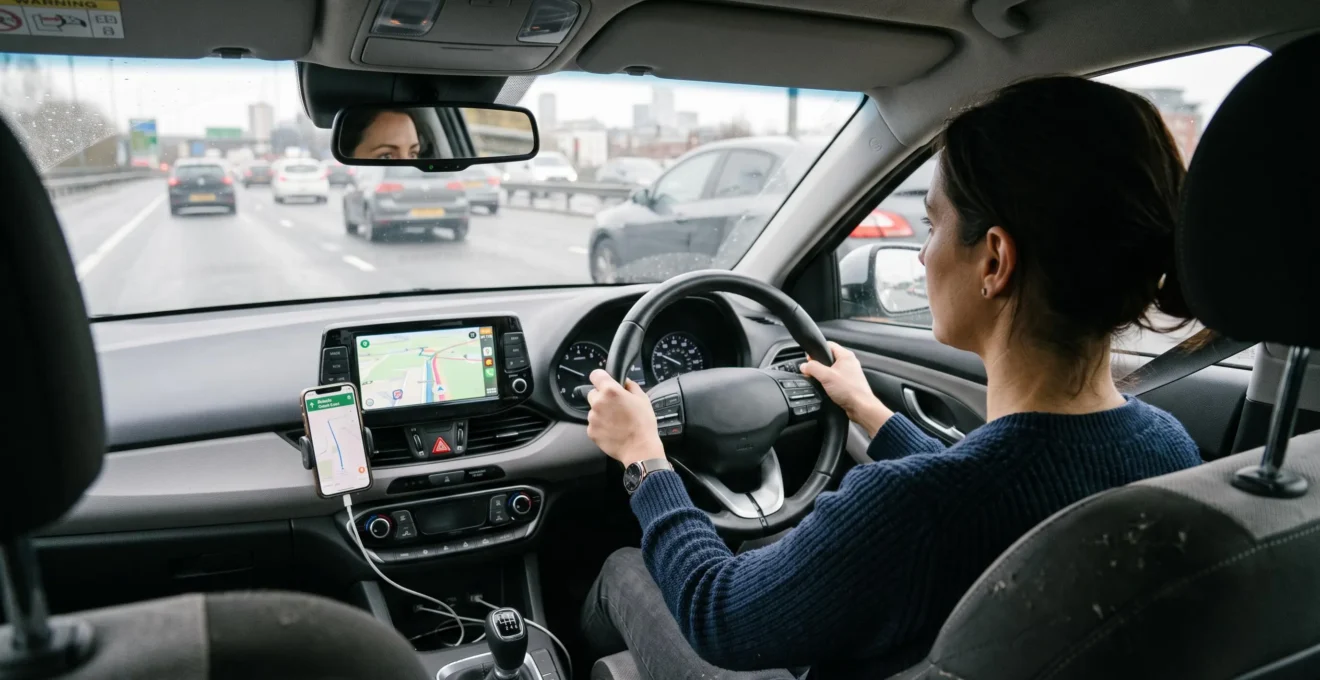
Advanced vehicle technology is most useful when it makes everyday driving safer, simpler or more convenient without demanding constant attention. Automatic emergency braking, blind-spot monitoring, responsive smartphone integration and accessible physical controls can offer practical advantages. Complicated touchscreen menus, poorly calibrated assistance systems and expensive connected-service subscriptions may deliver considerably less value.
The difference becomes clear during ordinary journeys. A driver approaching a busy junction benefits from reliable warnings and predictable vehicle responses, not from searching through several menus to adjust the climate control. Similarly, a navigation system that reconnects immediately after starting the car may be more useful than an impressive display with inconsistent performance.
Choosing the right technology therefore requires more than comparing equipment lists. Buyers should examine how features behave under realistic conditions, whether they remain supported over time, and what they cost throughout ownership. The strongest combination is usually a dependable safety foundation, intuitive controls and a limited selection of advanced systems that solve genuine driving problems.
Advanced car technology: the practical essentials
- Prioritize crash protection, effective driver assistance and controls that require minimal visual attention.
- Test infotainment responsiveness, smartphone connectivity and vehicle behavior during realistic driving conditions.
- Evaluate software support, subscriptions, privacy and maintenance requirements before paying for additional features.
- Why Do Feature-Rich Cars Sometimes Feel More Complicated to Drive?
- How to Evaluate Infotainment Responsiveness During a Car Test?
- Touchscreens or Physical Buttons: Which Are Easier to Use While Driving?
- Why Software Support Matters When Buying a Technology-Heavy Car
- Which Connected Car Features Are Worth Keeping After a Trial Ends?
- Airbags or Driver Assistance: Which Safety Features Serve Different Purposes?
- Navigation Habits That Increase Driver Distraction in Heavy Traffic
- Which Car Safety Equipment Matters Most for Everyday Protection?
Why Do Feature-Rich Cars Sometimes Feel More Complicated to Drive?
Feature-rich cars can feel complicated because additional technology increases the number of decisions, controls and system behaviors drivers must understand. Features that operate quietly in the background may reduce workload, while nested menus, changing driving modes and unexpected steering or braking interventions can increase it. The critical distinction is whether technology removes a task or creates another one.
Not all complexity is visible on the dashboard. Adaptive cruise control can reduce repetitive speed adjustments on suitable roads, although the driver must continue supervising traffic and system limitations. Blind-spot monitoring can provide useful supplementary information without requiring menu navigation. By contrast, adjusting a frequently used setting through multiple touchscreen pages introduces an additional interaction during driving.
Behavior-changing technologies deserve particular attention. One-pedal driving alters how a vehicle decelerates when the accelerator is released. Lane-keeping assistance may introduce steering corrections, while automatic emergency braking can intervene unexpectedly if the system misinterprets a situation. These behaviors may be helpful, but their usefulness depends on predictable operation and the driver’s understanding of their limits.
A practical approach is to establish a feature settling period. Over several weeks of deliberate, safe use, drivers can learn unfamiliar controls and distinguish temporary unfamiliarity from persistent inconvenience. This is a suggested evaluation method, not a scientifically established adaptation deadline.
During this period, record occasions when a feature causes hesitation, requires repeated corrections or produces an unexpected response. If the same problem continues after the driver understands the controls, the issue may be intrinsic to the interface rather than insufficient familiarity.
Apply a simple decision filter:
- Keep: Features that operate reliably in the background, reduce meaningful effort or provide an additional safety layer.
- Evaluate: Features that change vehicle behavior but become predictable with experience.
- Question: Features that duplicate existing functions, add unnecessary steps or demand attention during demanding situations.
Where a system permits customization, adjust its behavior before dismissing it. Safety-critical systems should not be disabled casually, and some cannot legally or permanently be switched off in certain markets.
The goal is not to eliminate advanced technology but to ensure that its operation becomes predictable. Infotainment responsiveness is an especially revealing place to test that principle.
How to Evaluate Infotainment Responsiveness During a Car Test?
Infotainment responsiveness should be evaluated through repeated everyday tasks rather than screen specifications or showroom demonstrations. During a test drive, check startup behavior, navigation loading, voice-command response, Bluetooth reconnection and smartphone integration. Repeat these checks while several functions are operating simultaneously, because a system that feels fast when idle may become frustrating under normal use.
Begin with the vehicle parked and the system fully shut down. Unlock the car, enter normally and observe how quickly the display becomes usable. Then open navigation, select a destination and check whether the route appears promptly. Repeat a voice command and assess whether the system understands it, confirms the request and completes the action without unnecessary repetition.
Next, connect a phone and test music playback, incoming-call handling and reconnection after restarting the vehicle. Where available, compare wired and wireless Apple CarPlay or Android Auto. Wireless compatibility is convenient, but consistent reconnection and stable operation matter more than the absence of a cable.
To expose performance problems that a showroom demonstration may conceal, test the system with navigation active, music streaming, a connected phone and climate control operating. Watch for delayed touch feedback, frozen screens, interrupted audio and sluggish transitions between applications.
Responsiveness also affects distraction. Transport Canada’s guidelines on in-vehicle display distraction recommend timely feedback and confirmation of driver inputs, including feedback when system response exceeds two seconds. These voluntary design recommendations are not a universal performance benchmark for infotainment processors.
Over-the-air updates introduce another consideration. Software revisions may improve navigation, stability and connectivity, but can also introduce new bugs or alter familiar controls. Ask the dealership for the installed software version and investigate whether previous updates caused documented problems for that specific model.
Five checks to complete during an infotainment test drive
- Measure startup usability from unlocking the car; record the approximate waiting time.
- Load a navigation route twice; note delays, missed inputs and any freezing.
- Operate navigation, music and climate functions together; write down any performance changes.
- Disconnect, restart and reconnect a phone; record whether wired or wireless integration reconnects reliably.
- Request the software version and update policy; leave with a written list of unanswered support questions.
Perform complex touchscreen tests while parked, leaving ordinary driving to assess whether essential information remains clear and accessible. The next question is whether the interface itself supports safe, low-effort operation.
Touchscreens or Physical Buttons: Which Are Easier to Use While Driving?
Physical buttons are generally better suited to frequent driving tasks because they can often be located and operated through touch and learned movements. Touchscreens are more appropriate for infrequent configuration tasks that can be completed while parked. The most practical interface combines direct access to essential functions with a touchscreen for navigation, information and less frequently changed settings.
The relevant measure is not technological sophistication but eyes-off-road demand. A familiar volume knob can often be operated without searching for its position. A touchscreen slider may require the driver to look at the display, locate the control and confirm the result.
Transport Canada’s visual-display guidance recommends individual glances away from the forward roadway of no more than two seconds and cumulative glance time below twelve seconds for assessed tasks. These are voluntary design-assessment thresholds, not permission to interact with a display while driving or guarantees of safety.
A useful evaluation separates controls by frequency and urgency:
| Task | Preferred interface | Practical reason |
|---|---|---|
| Hazard warning lights and essential driving controls | Direct physical controls | Immediate access without menu navigation |
| Volume and commonly adjusted climate settings | Physical knobs, buttons or reliable shortcuts | Reduced need to visually locate controls |
| Defrost and demisting | Dedicated, easily accessible control | Quick operation when visibility is affected |
| Phone pairing and system configuration | Touchscreen while parked | More complex interactions are acceptable without driving demands |
| Destination entry | Touchscreen or voice interface while parked | Route preparation avoids unnecessary in-motion interaction |
Independent vehicle safety assessment is also moving toward greater attention to interface design. Euro NCAP’s 2026 assessment of physical driving controls emphasizes direct physical access to essential functions, including indicators, wipers, hazard lights and the horn. Its criteria are part of a European consumer assessment programme, not a legal ban on touchscreens.
Hybrid designs can provide a reasonable compromise. A touchscreen accompanied by persistent physical climate controls, steering-wheel shortcuts or genuinely tactile haptic controls may reduce the number of visual searches. However, a haptic surface that changes function depending on the active menu may still demand substantial attention.
During a test drive, locate the defrost, volume and hazard controls without navigating menus. Check whether steering-wheel shortcuts remain consistent across driving modes and whether the controls can be used comfortably with gloves or while the vehicle is moving over uneven surfaces.
Interface design determines how easily a vehicle can be used today. Software support determines whether that experience remains dependable throughout ownership.
Why Software Support Matters When Buying a Technology-Heavy Car
Software support matters because modern vehicles increasingly depend on digital systems for navigation, connectivity, diagnostics and selected convenience features. When updates or online services end, a mechanically sound car may lose functionality or become harder to maintain. Buyers should therefore assess software longevity alongside conventional reliability, warranty coverage and repair costs.
Vehicle software involves several different support commitments. Infotainment updates may address interface problems or security vulnerabilities. Map updates maintain navigation information. Connected services depend on remote infrastructure, compatible mobile applications and sometimes cellular networks that manufacturers do not fully control.
These services can have different expiration dates. A manufacturer may continue supplying safety-related software fixes while discontinuing an older mobile application or connected entertainment function. Consequently, a general promise of software updates does not establish how long every feature will remain available.
Before purchase, request clear answers to three ownership questions:
- Support duration: How long are software, security and map updates included, and which become paid services?
- Feature continuity: Which functions depend on subscriptions, remote servers, account transfers or continued manufacturer support?
- Update reliability: Has the manufacturer consistently delivered announced updates for this model, and how are unsuccessful installations handled?
For a used vehicle, verify whether connected services transfer to a new owner and whether previously purchased functions remain active after resale. A demonstration vehicle’s equipment list may not accurately represent the services available to its next owner.
Subscription costs also belong in the total ownership calculation. As a hypothetical example, a connected-service package costing $15 per month would add $900 over five years if its price remained unchanged. This is an illustration, not a quoted manufacturer price. Currency, taxes, billing rules and availability vary by market.
Software dependence can also complicate independent repairs. Some diagnostics, module replacements and sensor calibrations require manufacturer-specific tools, authorization or current technical information. Support ending does not automatically make independent repair impossible, but buyers should investigate tool availability and repair access before choosing an electronically complex vehicle.
Ask whether updates can be installed at home, require a dealership visit or carry additional charges after an initial period. A documented policy is more useful than a salesperson’s informal assurance.
Long-term support is particularly important when vehicle features are sold as renewable services rather than permanently included equipment.
Which Connected Car Features Are Worth Keeping After a Trial Ends?
Connected car subscriptions are worth keeping when they provide a service the driver uses regularly, cannot replace easily and considers valuable enough to justify the recurring cost. Remote climate control, vehicle-location assistance and certain diagnostic notifications may offer meaningful benefits. Paid navigation, music and convenience packages deserve closer scrutiny when comparable functions are already available through a smartphone.
The most effective approach is to treat the free trial as an evaluation period rather than an invitation to activate every available feature. Track actual usage for several weeks, recording when each service solves a problem and whether an alternative would have worked equally well.
As a practical starting rule, consider paying for routine convenience features only when they are useful at least weekly. This is a personal budgeting heuristic, not a validated industry standard. Infrequently needed services such as stolen-vehicle assistance may still justify a subscription if their protection, availability and limitations match the owner’s needs.
Connected features generally fall into two categories:
- Readily replaceable services: Music streaming, ordinary navigation, weather information and some traffic updates may already be provided through compatible phone applications.
- Vehicle-integrated services: Remote start, remote climate preconditioning, selected diagnostic alerts and theft-related assistance may depend on manufacturer hardware and backend infrastructure.
Bundling complicates the calculation. A driver may want remote climate control but have to purchase a package that also includes entertainment, navigation and other unused services. Check whether individual features can be purchased separately, whether annual billing is cheaper than monthly billing, and what happens when a subscription expires.
Privacy deserves equal attention. Connected vehicles can process location, trip and driving-behavior information. In January 2026, the US Federal Trade Commission finalized an order settling allegations concerning GM and OnStar’s collection and disclosure of geolocation and driving-behavior data without adequate notice and affirmative consent.
Real-world case: connected-vehicle data and consumer consent
The FTC announcement on GM and OnStar connected-vehicle data describes a final settlement order concerning allegations about the collection, use and disclosure of sensitive vehicle information.
The order includes specified consent, transparency and consumer-choice obligations, together with restrictions on certain disclosures. This US enforcement action concerns the named companies and does not establish that every manufacturer follows the same data practices.
Before renewing a subscription, review the privacy notice, data-sharing options and whether information may reach insurers, consumer reporting agencies or other third parties. Also check whether disabling data collection affects the service being purchased.
The strongest subscription choices deliver demonstrable benefits without imposing disproportionate cost or privacy exposure. Safety equipment requires a different assessment because its value may appear only when something goes wrong.
Airbags or Driver Assistance: Which Safety Features Serve Different Purposes?
Airbags and driver-assistance systems serve complementary safety purposes. Airbags are passive restraints designed to reduce injury during certain crashes, working alongside seatbelts and vehicle structure. Advanced driver-assistance systems, including automatic emergency braking and blind-spot warnings, aim to help prevent crashes or reduce their severity. Neither category replaces the other, and both have operating limitations.
Passive protection is designed around the collision itself. Seatbelts restrain occupants, vehicle structures manage crash forces and airbags provide additional protection in qualifying impacts. Airbags do not deploy in every crash, and their effectiveness depends on factors such as impact characteristics, seating position and correct restraint use.
Active safety systems intervene earlier. Automatic emergency braking may detect a potential collision and apply the brakes when the driver does not respond adequately. Lane-keeping assistance can provide steering support under specified conditions, while blind-spot warnings help identify vehicles that may be difficult to see.
However, ADAS performance varies with the environment. Lighting, road markings, weather, vehicle speed and the type of object being detected can all influence operation.
25%–27%
Lower observed pedestrian crash risk associated with pedestrian-detecting automatic emergency braking in a 2022 real-world study. This finding does not represent a universal reduction across all vehicles, conditions or driver-assistance technologies.
Jessica B. Cicchino, 2022, Accident Analysis & Prevention; IIHS research record on pedestrian automatic emergency braking.
The study also found no evidence of effectiveness in darkness without street lighting, on roads with speed limits of at least 50 mph, or while the equipped vehicle was turning. These findings do not mean the systems never operate in those situations; they show why buyers should examine tested performance rather than relying on a feature name alone.
ADAS reliability also depends on maintenance. Cameras and radar sensors must remain unobstructed, and certain repairs can require calibration. Windshield replacement, collision repairs or changes to vehicle alignment may affect sensor positioning depending on the model.
Owners should keep sensor areas clean according to the vehicle handbook, investigate warning messages promptly and ask repairers whether calibration is required after relevant work. Calibration procedures are manufacturer-specific and should not be improvised.
Finally, assistance can create behavioral risk if drivers assume the vehicle will always intervene. Even sophisticated systems may fail to identify hazards, and driver-monitoring functions do not eliminate the need for attention.
The safest approach combines properly functioning passive restraints with independently evaluated active systems, while maintaining driver responsibility. Navigation behavior is another area where technology can either support or undermine that responsibility.
Navigation Habits That Increase Driver Distraction in Heavy Traffic
Navigation becomes particularly distracting when drivers enter destinations, compare alternative routes or switch applications while negotiating heavy traffic. These tasks demand visual attention, decision-making and sometimes manual interaction at the same time as driving complexity increases. Preparing a route before departure and minimizing changes during the journey can reduce avoidable interruptions.
Several habits create unnecessary workload. Entering a new destination requires reading, typing or selecting results. Switching between navigation applications introduces different layouts and potentially conflicting instructions. Repeatedly searching for a faster route encourages decisions based on small estimated time savings rather than the immediate driving environment.
Traffic conditions make these interruptions especially problematic. Congestion alerts, lane guidance and rerouting prompts may appear near junctions, merges or unexpected queues, precisely when the driver needs to monitor surrounding vehicles and road users.
A practical solution is to establish a route-before-departure routine. While parked, enter the destination, review major route choices, set voice-guidance volume and configure preferred routing options. Confirm that the destination is correct before moving.
Automatic rerouting can reduce manual interaction when it operates predictably and does not require repeated confirmation. However, automatically selected routes are not always preferable, particularly when they introduce unfamiliar roads, difficult junctions or restrictions that the navigation data may not represent accurately.
Voice commands can help with limited adjustments, but they are not distraction-free. Speech recognition errors and lengthy verbal exchanges can also consume attention. When entering a destination by voice, confirm the system’s spoken readback while parked or after stopping somewhere safe.
Another avoidable problem is duplicated navigation. Running a phone-based application and the vehicle’s native navigation simultaneously may produce overlapping notifications and conflicting route instructions. A single-source navigation rule keeps one primary guidance system active and silences unnecessary duplicate alerts.
Transport Canada‘s guidance also recommends against manual destination entry while a vehicle is moving, including temporary stops in traffic or at intersections. Being stationary at a red light does not make complex touchscreen interaction equivalent to being safely parked.
Once route planning and digital interruptions are under control, the remaining safety question is which vehicle equipment provides the most dependable protection across ordinary journeys.
Key takeaways before choosing safety equipment
- Prioritize equipment that supports everyday vehicle control and occupant protection before comparing premium electronic packages.
- Assess advanced safety systems using independent performance results, not just their names or availability.
- Include maintenance, sensor calibration and replacement costs when judging the long-term value of safety technology.
Which Car Safety Equipment Matters Most for Everyday Protection?
The most important everyday safety equipment combines effective crash protection, well-maintained tires and brakes, reliable lighting and proven active safety systems. Seatbelts and vehicle structure provide essential occupant protection, while tires and brakes influence the vehicle’s ability to respond to hazards. Advanced assistance adds value when its tested capabilities match the driver’s usual roads and conditions.
Safety priorities should reflect both exposure and consequence. Tires, brakes, steering and lighting are used during ordinary driving, while airbags and emergency braking interventions become critical during particular hazardous events. This distinction does not mean passive restraints are less important; crash protection remains essential even when a collision is unlikely.
Start with fundamental vehicle condition. Tire tread, inflation pressure and visible damage affect grip and stability. Brakes require appropriate inspection and maintenance, while incorrectly aimed headlights can reduce useful illumination or create glare for other road users.
A simple inspection routine includes checking tire pressures against the manufacturer’s specifications, examining tread and sidewalls, confirming that exterior lights operate and investigating unusual braking behavior. Professional inspections should address components that cannot be evaluated reliably through visual checks alone.
Independent safety assessments provide a better basis for comparison than manufacturer equipment lists. Depending on the market, buyers can consult organizations such as Euro NCAP, ANCAP or the Insurance Institute for Highway Safety, alongside relevant national safety-rating programmes. Their testing methods, model specifications and rating years differ, so scores should be interpreted within the applicable programme.
Look beyond an overall rating. Examine occupant protection, pedestrian protection, automatic emergency braking performance and the availability of standard equipment on the exact vehicle specification being considered. A system offered as standard in one country may be optional or configured differently in another.
For everyday driving, a balanced selection of advanced features might include automatic emergency braking, blind-spot monitoring and an appropriate lane-support system. This is a practical shortlist, not a universal ranking. Drivers who regularly encounter urban pedestrians, motorway traffic or poorly marked rural roads may benefit from different capabilities.
The most useful safety package is therefore not necessarily the one with the largest feature count. It is the combination of strong underlying protection, maintained mechanical components and reliable assistance that performs well in relevant conditions.
Before choosing a vehicle, compare independent safety results, test the controls while parked and during a supervised drive, request software-support details and obtain realistic maintenance and subscription costs. That evidence will provide a stronger purchase decision than a lengthy technology specification sheet.
Are advanced vehicle technologies more expensive to repair?
Some technologies can increase repair complexity because they involve cameras, radar sensors, specialized electronic modules or manufacturer-specific diagnostics. Costs depend on the model, damaged components, parts availability and required calibration. Before purchasing, ask for estimates covering common repairs such as windshield replacement, bumper damage and electronic-module faults.
Can a modern car still work normally without an internet connection?
Core driving functions generally do not require a continuous internet connection, but certain navigation, remote-control, entertainment and connected-assistance services may depend on mobile data or manufacturer servers. The exact distinction varies by model. Buyers should ask which functions remain available offline and whether loss of connectivity affects any essential vehicle information.
Should buyers pay extra for the highest technology trim level?
Not automatically. A higher trim may bundle useful safety equipment with expensive displays, entertainment features and convenience functions that see little use. Compare the exact standard equipment, independently tested safety performance and additional ownership costs. A lower trim with effective safety systems and intuitive controls may offer better practical value.
How can buyers assess the reliability of new vehicle technology before purchase?
Combine a realistic test drive with model-specific reliability information, documented software-update history, warranty terms and independent safety assessments. Ask about recurring infotainment faults, sensor calibration requirements and the availability of qualified repairers. A brief test drive can expose usability problems, but it cannot establish long-term electronic reliability by itself.
Is it better to buy a car with fewer electronic features?
Fewer features can simplify operation and potentially reduce some ownership dependencies, but removing useful safety systems is not necessarily beneficial. The better choice is a vehicle with proven protection, predictable controls, adequate software support and technology that matches actual driving needs. Feature quality and integration matter more than feature count alone.